
Upgrading from Home to Pro can unlock many professional features in Windows 10. As Windows 10 Pro has most personalization option and professional tools.
Table of Contents
- Please note:
- Before you begin:
- Check your clgddigital.com license key:
- Upgrade using Settings:
- 3. Verify Activation:
- Optional steps:
- Troubleshooting:
Please note:
- This guide assumes you have a valid Windows 10 Home edition installed and a genuine Windows 10 Pro license key from clgddigital.com.
- This upgrade process will only switch your edition from Home to Pro within Windows 10. It will not upgrade you to Windows 11.
Before you begin:
- Back up all your important data to an external drive in case of unexpected issues.
- Close any active programs and ensure your internet connection is stable.
Check your clgddigital.com license key:
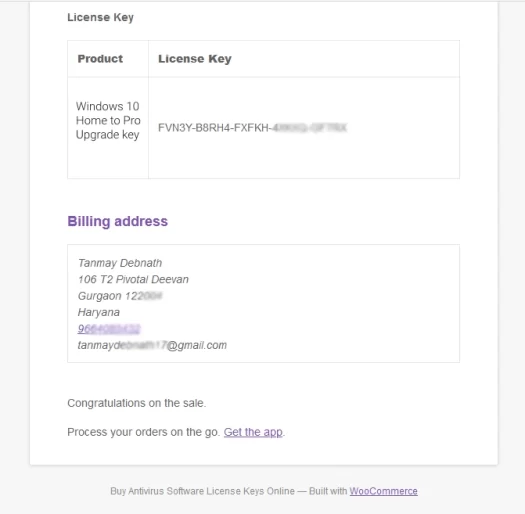
- Open the email confirmation from clgddigital.com and locate your 25-character Windows 10 Pro license key.
- Verify the key format to ensure it matches the Windows 10 Pro requirements
Upgrade using Settings:
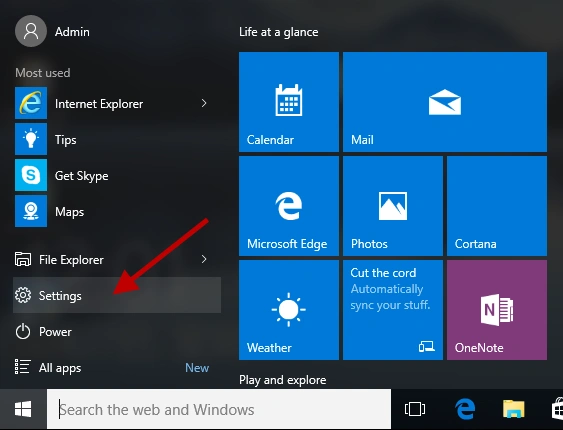
- Click the Start button and type “Settings.”
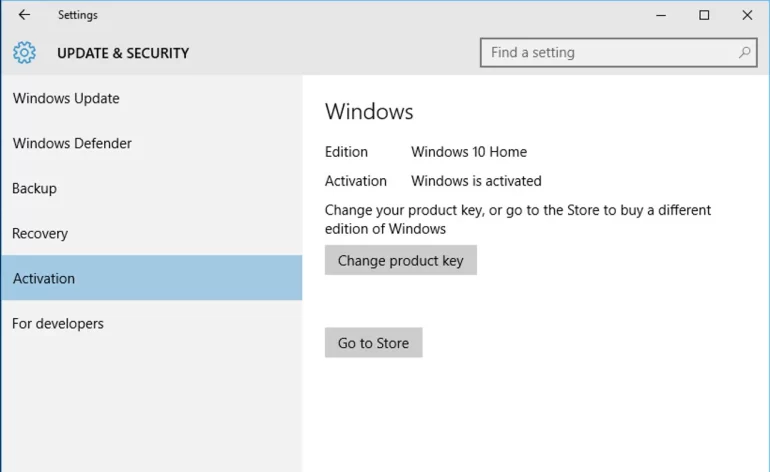
- Select “Update & Security” and then “Activation.”
- Click “Upgrade to Pro” under “Upgrade your edition of Windows.”
- Select “I have a product key” and click “Next.”
- Enter your clgddigital.com license key carefully and click “Next.”
- Microsoft will try to verify your key online. If successful, you’ll see a confirmation message.
- Click “Upgrade” to begin the process. Your computer will restart several times during the upgrade
3. Verify Activation:
Once the upgrade finishes, open Settings again and navigate back to “Update & Security > Activation.” You should now see “Windows is activated with a digital license” under “Windows edition.”
Optional steps:
- Personalize your Pro features: Explore the new features unlocked in Windows 10 Pro, such as Group Policy Editor, Remote Desktop, and BitLocker Drive Encryption.
Troubleshooting:
- If you encounter errors during the upgrade process, verify your internet connection or double-check your license key for typos. You can also contact clgddigital.com support for assistance.
- If your copy of Windows 10 is pirated or tampered with, the upgrade might fail. Ensure you obtained your Windows 10 Home edition through legitimate channels.
By following these steps, you should be able to upgrade your Windows 10 Home to Pro using your clgddigital.com license key. If you have any further questions or require clarification, feel free to ask!


Your article helped me a lot, is there any more related content? Thanks!
3fcassino seems like a new player on the scene. Decent selection of games, I gotta say. I played a few hands of blackjack, and it felt smooth. You guys should check it out! Check this link out: 3fcassino
How ya goin’? Signed up to 7789bet and it’s decent. Registration was quick and painless. They could definitely improve their FAQs section, a bit sparse. Otherwise, alright: 7789bet
Thank you for your sharing. I am worried that I lack creative ideas. It is your article that makes me full of hope. Thank you. But, I have a question, can you help me? https://www.binance.info/cs/register?ref=OMM3XK51
Thanks for sharing. I read many of your blog posts, cool, your blog is very good.
I don’t think the title of your article matches the content lol. Just kidding, mainly because I had some doubts after reading the article. https://accounts.binance.com/hu/register?ref=IQY5TET4
Can you be more specific about the content of your article? After reading it, I still have some doubts. Hope you can help me. https://accounts.binance.com/ar/register-person?ref=PORL8W0Z
Your article helped me a lot, is there any more related content? Thanks! https://accounts.binance.info/zh-TC/register?ref=DCKLL1YD